
HubSpot Runs Revenue.
Hooby Flow Runs Revenue Process
Extend HubSpot with Hooby Flow and empower your teams to continuously improve their internal and cross-team processes.


The process mapping solution that fits your revenue workflows
When using generic drawing tools, your teams need considerable skill in both graphic design & management science to produce a process map that's both accurate and easy to follow. And even if you do deliver, the map often becomes stale the moment it's uploaded to the file share.
The Hooby Flow offers a better way,
giving your teams what they need where & how they need it.
Create beautiful, consistent, easy-to-follow process flowcharts with a tool designed for the task
With Hooby Flow, you and your teams stay focused on the processes you're mapping, not the endless collection of shapes, connectors & design decisions you must finagle when using generic drawing tools.
And with multiplayer support built-in, your teams can map together live no matter where they are on the globe.
Want the business case?
Want an adoption guide?

So much is
mappable
mappable
Your Revenue Process
The Flows at the heart of your process map: your pipelines, your lifecycles, and the decisions and AI that run through them.
Break apart long pipelines into a sequence of pipeline Flows. Add your HubSpot workflows as accessories so everyone knows what's automated. Connect the ends of each pipeline to the start of the next to ensure no balls are dropped.
Map your Contact & Company lifecycle stages, and pin the HubSpot settings that move people through them—defaults on create, lead & deal sync, and stage automation—so everyone can see how HubSpot is wired. Put the Flow directly in view on your HubSpot records.
When you need to communicate that a single decision is made up of lots of questions & answers, create a Decision element child Flow that defines the full decision tree. Use for BANT, MEDDIC, lead scoring decisions and more.
Breeze AI is a powerful tool, but learning to use it effectively takes time and plenty of trial and error. For all the steps where your teams use Breeze in their processes, add a child Flow to record the proven techniques that work best.
Your Team
Map how your people join, step away, come together and get work done in the tools they use.
Define the common onboarding steps for new hires, then branch by team or role to define the specific onboarding steps for each. Give them space in your Flow Pages so everyone can easily find them.
Your people go on vacation. It's good for them. Make life easier for those not on vacation by carefully defining what handoffs need to be made per role when your people step away and when they return.
Hosting a successful event requires the coordination of so many moving parts. Define a high-level Flow that communicates the major steps, and use child Flows to ensure every detail is covered.
For each tool your team regularly uses, and for every workflow they repeatedly do in that tool, create a Flow that documents what to do. Capture screenshots & annotate them with extra context.
Your Meetings
Map what each recurring meeting needs, decides and produces, and the prep work that gets it there.
For each meeting, fully map what information is needed, what decisions need to be made, and what artifacts need to be created and distributed. Link the relevant Flows so they can be easily accessed in each meeting.
Work backwards from your recurring meeting Flows to document what prep work is required from each member, ensuring you have everything you need to run your meetings efficiently & successfully.
On Every Record
Put what your teams need to know in front of them on the HubSpot records they already work.
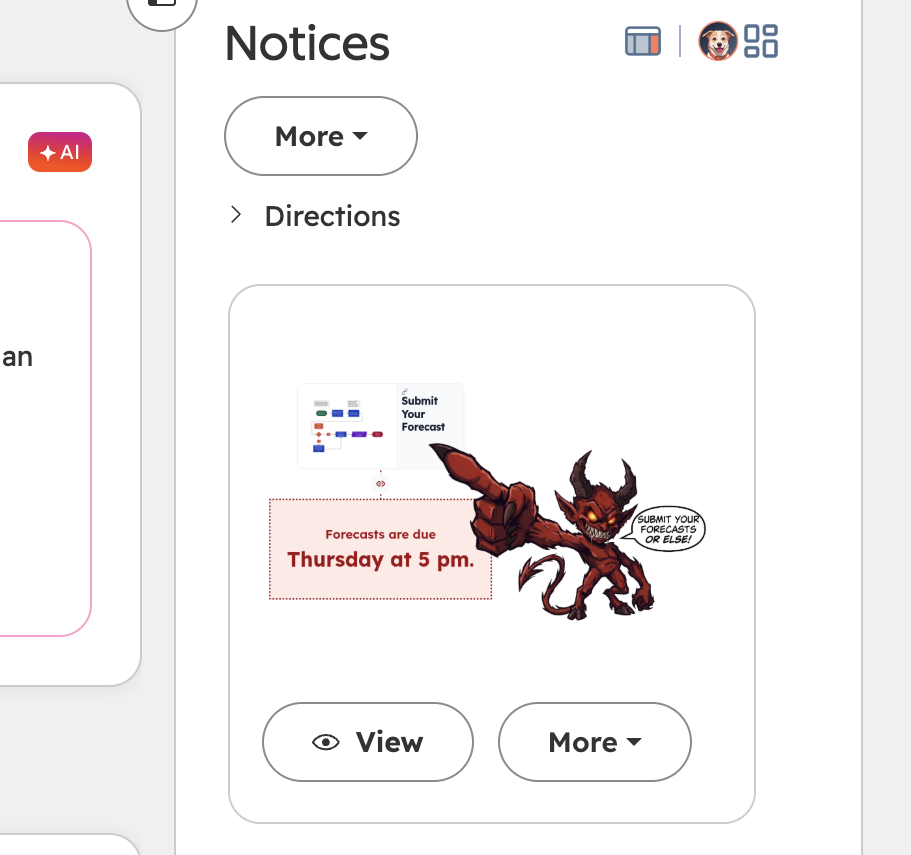
Nag your teams in the most effective way possible. Put a bulletin they can't easily ignore on every HubSpot record they work.
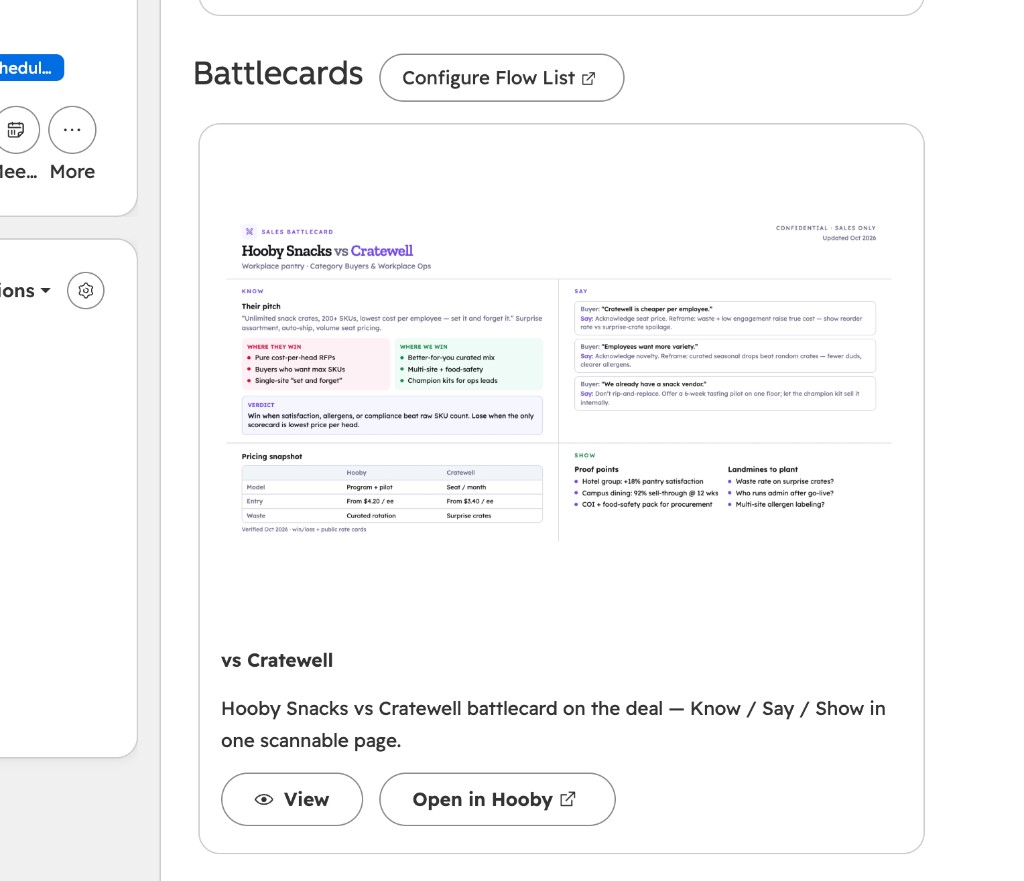
Get your battlecards directly in view for your sales teams. Annotate them regularly with fresh learnings.
Get your product roadmaps directly in view on the HubSpot records your teams are working. Annotate them with talking points & other context and update them regularly as schedules shift.
For HubSpot Solutions Partners
Show prospective clients exactly the operational improvements you'll make for them.
Show your RevOps clients exactly the operational improvements they can make if they work with you. Show them exactly where the HubSpot workflows you'll build for them will fit in their people processes.

Built on Google's world-class cloud infrastructure, deployed next door to your region's HubSpot data center
Hooby hates to see Flow interrupted—that's why we take reliability, security & performance seriously.

Your Hooby data is stored & processed in your region only
Hooby deploys to 5 regions around the world, mapped 1:1 to HubSpot's data center locations.
Your Hooby data can only be accessed from your organization's HubSpot account
Hooby doesn't use separate logins from your HubSpot account. This gives your IT team one less system they need to govern and one less attack surface to manage.
Hooby layers trust at every level
Visit our Trust Center to learn more about how Hooby is built to protect your data.

Hooby is carefully monitored, allowing us to fix most bad behavior as we see it
But when problems do arise, we're available to help at support@hooby.app.
Quick to fix, fast to deploy
We take reliability seriously. When our logs show your teams are hitting problems, we triage and fix quickly.
Quick to respond
The Hooby team responds to support requests within 36 hours Monday - Friday.
With a troubleshooting guide for common gotchas
We maintain detailed, product-integrated learning guides, how-tos and FAQs to help your teams succeed.

Pay only for Editor seats,
with plans tailored to how your organization uses HubSpot
Hooby fits to your organization's workflows. Pay for only what your teams need now and efficiently scale as you grow.
HubSpot Customer Plan
Customer Editor seats come in pairs, designed to cover organizations with a ratio of 1 manager to 9 individual contributors per team.
2 seats per team give each team's manager and lead contributor ownership of the team's Flows—with the remaining team getting full, realtime visibility across the organization's process map.
* Volume pricing starts at 8 Editor seats.
HubSpot Solutions Partners with Hooby Flow subscriptions do not consume seats when added to your HubSpot portal. You only need to purchase seats to match your desired headcount.
| 2 | Editors | |||
| 8 | Viewers | |||
| 10 | Total Users approx. 1 team |
HubSpot Partner Plan
Partner Editor seats are priced for an agency's flatter organizational hierarchy and the need for an Editor seat per consultant.
With 1 free Viewer seat per Editor seat, most consultancies have all the seats they need to use Hooby Flow for client work and to organize their internal processes.
With a Hooby Flow subscription your organization's consultants do not consume Hooby seats when added to a customer's HubSpot portal.
| 1 | Editor | |||
| 1 | Viewer | |||
| 2 | Total Users |
With for our HubSpot Solutions Partners
Daywards is a software company, not a RevOps agency. We're looking for partners who'd like to use Hooby Flow as a creative tool when pitching their RevOps services. We're offering 75% off on Partner Editor seats* as a sweetener.
If you'd like to pitch a Hooby Flow implementation project, we're also offering a 60% off only-for-your-agency discount code* to offer to your clients as a sweetener.
If interested, drop us your info and we'll reach out soon.
Process mapping can reduce friction & add clarity across your revenue teams
Find out how, in detail, in our extensive learning content.
Learn the reasoning & rationale behind Hooby Flow's approach to process mapping & see where we're taking it next.
Get Hooby Flow installed & set up for success in your organization's HubSpot account.
Follow our adoption guides to successfully roll out Hooby Flow's unique approach to process mapping across your revenue organization.
Learn the simple yet powerful syntax of the Hooby Flow in this approachable primer.
Learn how the Hooby Flow experience is organized both in HubSpot & in the Hooby Flow app.
Master the Hooby Flow editing environment with this comprehensive editing guide.
Learn how to configure your Flow Cards on your HubSpot records.
Learn how to configure your organization's Flow Pages, accessible directly in HubSpot.
Learn how to create process maps that truly reduce friction & add clarity across your organization.
Explore our curated library of effective Flow patterns for inspiration as you build your organization's process map.
Understand how to configure your organization's Hooby Flow Workspace, how to control user access, & more.
Get help with common issues you may encounter when using Hooby Flow.